
Which Order Type Is Right for You?
Modules are standardized studies with fixed pricing and pre-built questionnaires. DIY surveys are fully custom. You write the questions and define the structure.
| Research Modules | DIY Surveys | |
|---|---|---|
| Price | From $1,390 fixed | From $990 (data only), or $990+ plus $3,990 with Executive Report. Check current pricing, as the report fee may be waived. |
| Timeline | 24 hours | From 5 days, longer for complex audiences or large samples |
| Who writes the questions | Standard Insights (pre-built questionnaire) | You |
| What you receive | Standardized report for your module type | Custom report built to your study design |
B2B audiences such as job title, company size, and industry role are not available through self-serve on either order type. Contact Sales for B2B briefs before starting.
Research Modules are available in six types: Concept Testing ($1,390), Audience Profiling ($2,990), Brand Lift ($2,790), Campaign Recall ($2,790), Brand Tracking ($3,990), and U&A ($3,990). To place a module order, you provide your brand and product name, country, audience criteria, and one contextual field specific to the module type, such as a concept description or campaign description. You do not write questions.
DIY surveys are priced dynamically across three variables: incidence rate, LOI, and number of respondents. The platform calculates a running price estimate as you build the brief, and the final figure is confirmed on the Review screen before any payment is taken. The base price of $990 covers data and visualization only. Adding a formatted Executive Report covering analysis, personas, and charts is an additional $3,990, though this fee may be waived. Check current pricing before assuming it applies.
The Checkout Process — Four Steps
Both order types follow the same four-step checkout sequence.
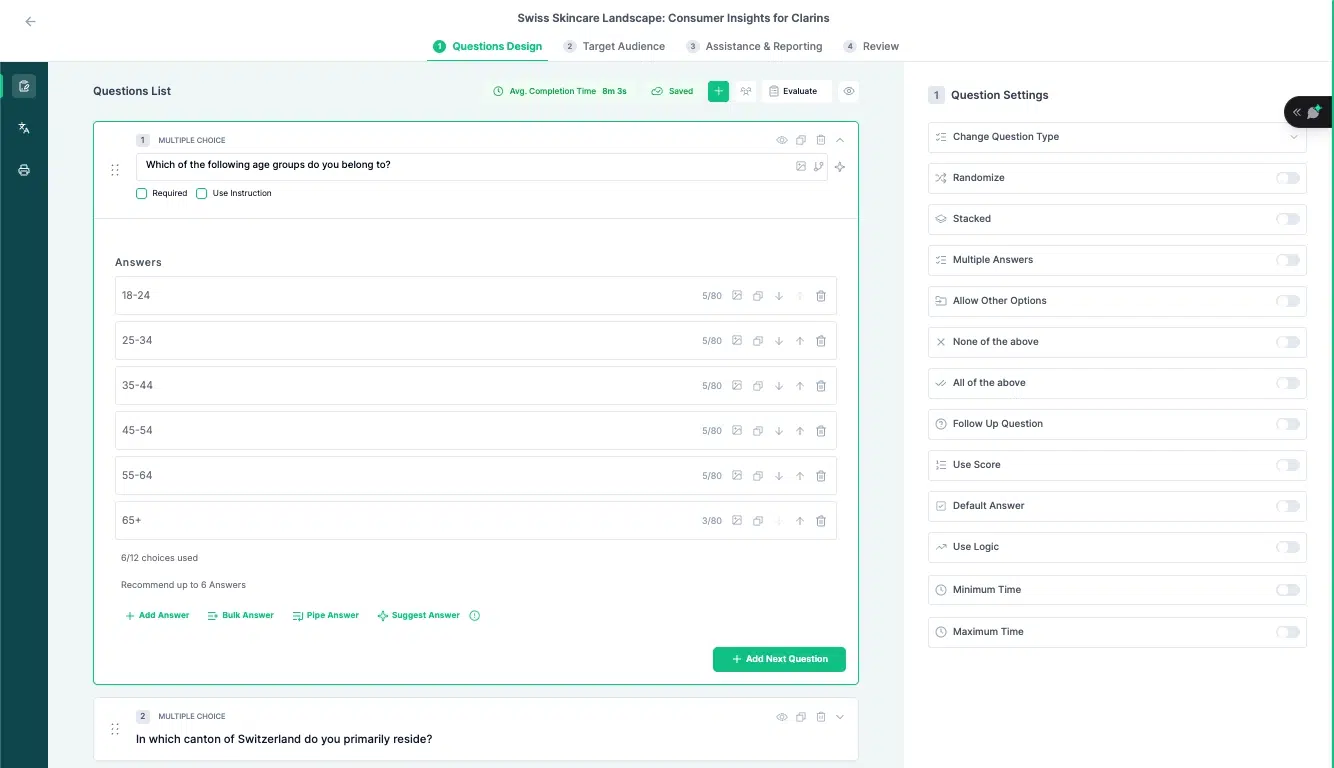
Step 1 — Questions Design (DIY) / Module Configuration (Modules)
For DIY orders, this is where the survey is built: questions written, logic set, and flow confirmed. For module orders, this step is configuration rather than authorship. You provide your brand name, product name, country, audience criteria, and the module-specific contextual field. There are no questions to write.
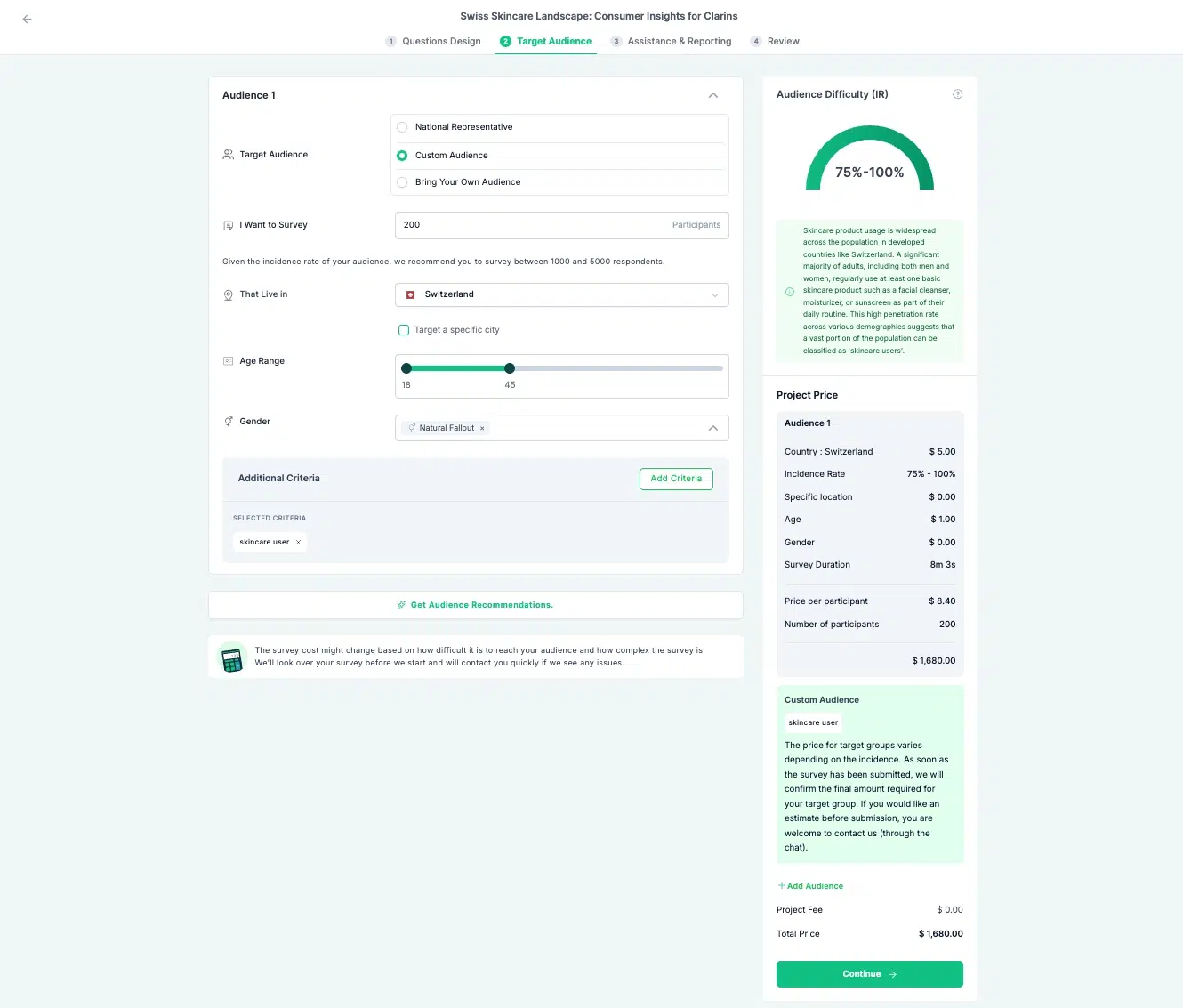
Step 2 — Target Audience
Set age, gender, region, and any screening criteria your study requires. If your audience requires job title, company size, or industry role targeting, the order cannot proceed through self-serve. Contact sales before reaching this step.
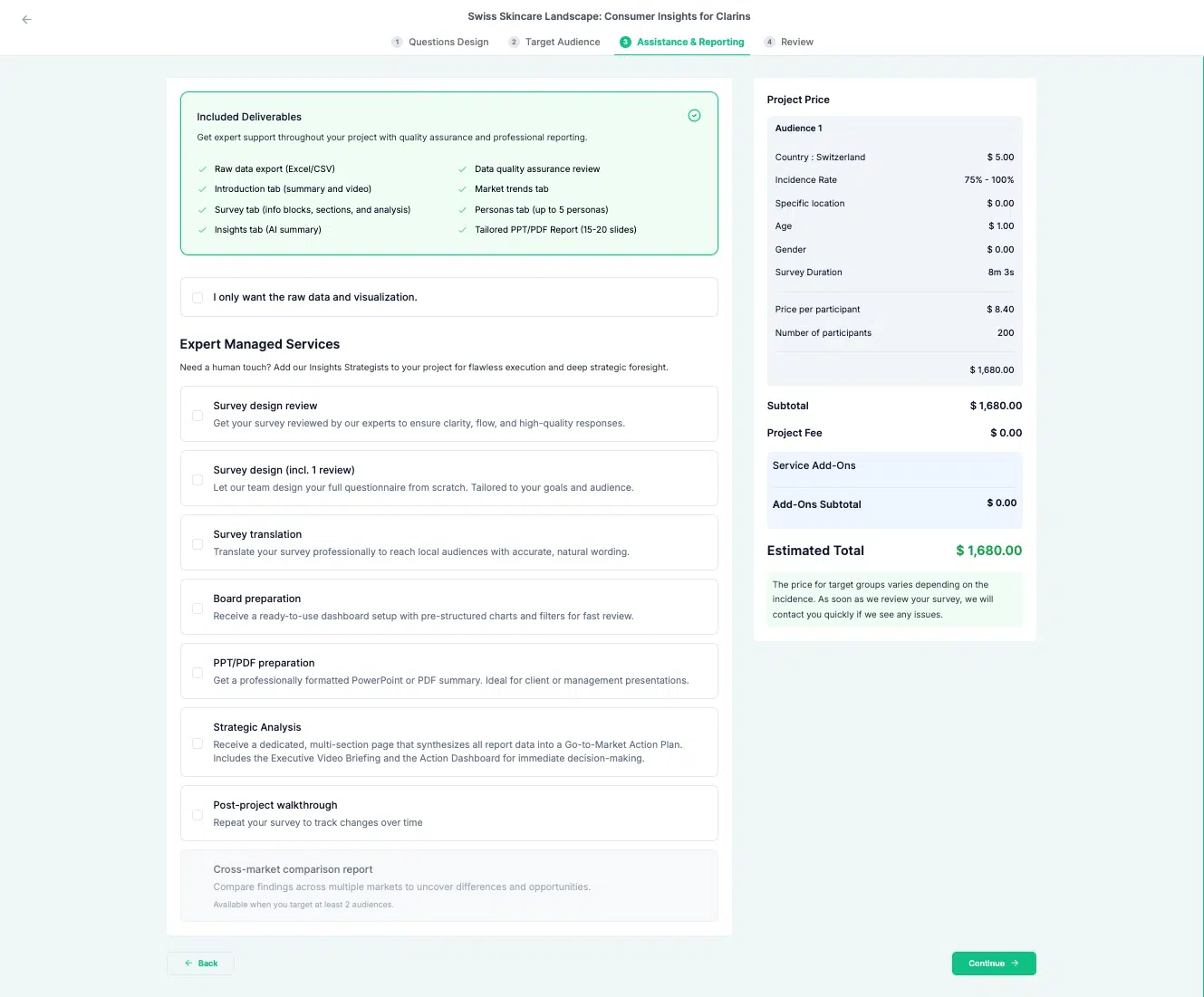
Step 3 — Assistance & Reporting
For DIY orders, this is where you select whether to add the Executive Report, a formatted deliverable covering analysis, personas, and charts. For module orders, the report format is standardized and no selection is required at this step.
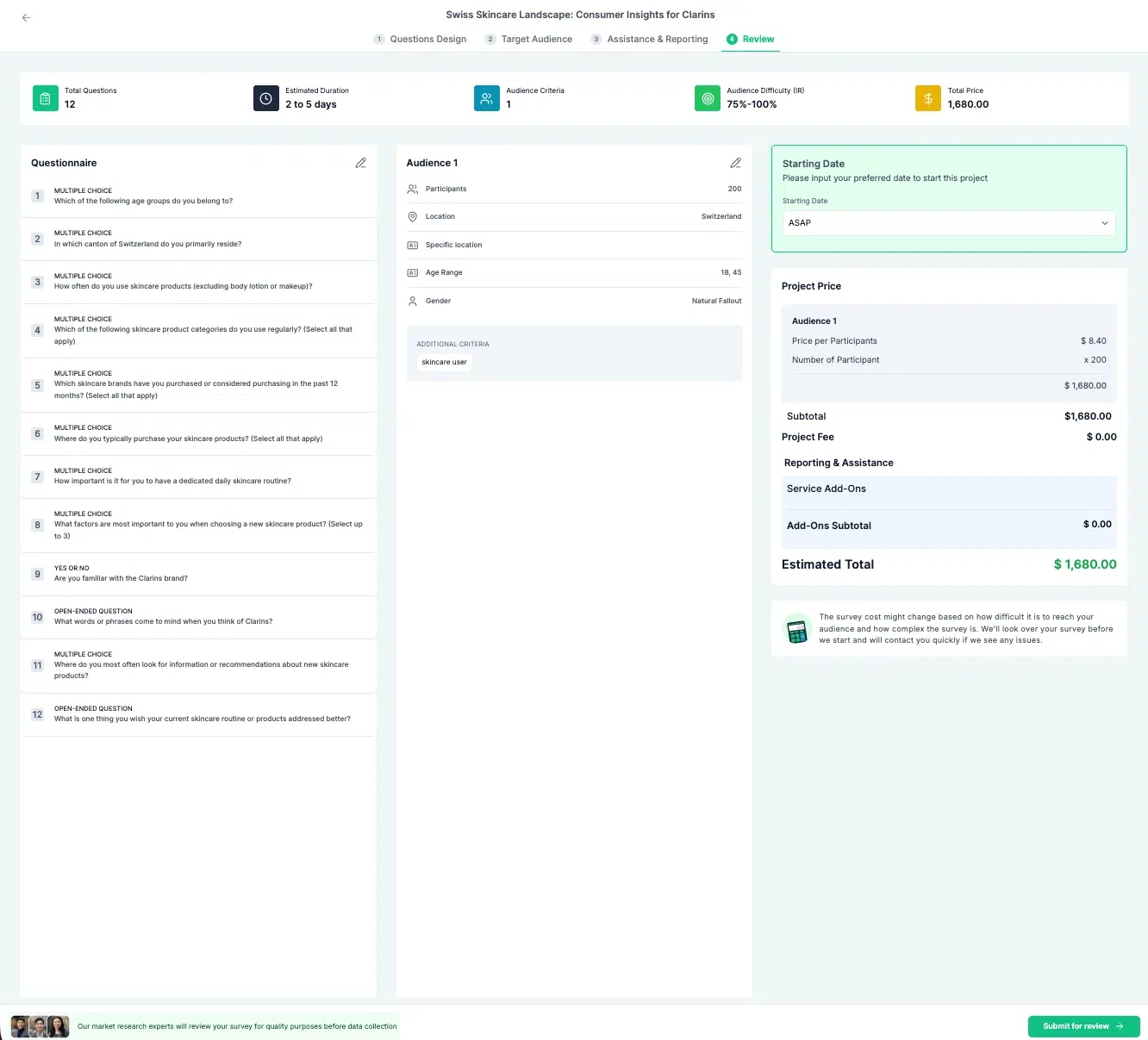
Step 4 — Review
A full order summary shows scope, audience, and the complete price breakdown before any payment is taken. Nothing is charged until you have confirmed everything on this screen.
Before Payment — The AI Verification Step
When you click “Check & proceed to payment,” an automated verification runs on your order. It checks for issues before fieldwork begins, catching problems that would affect data quality or panel compliance at a stage when they are still easy to fix.
The check covers four areas: panel compliance for sensitive topics, survey or input quality, audience validity, and B2B criteria.
It produces one of three outcomes. Pass means you proceed to payment immediately. Warnings only means you can proceed, with caveats shown on screen. A blocking flag means there is a specific issue to resolve before the order can move forward, and the screen will show exactly what needs to change.
Most orders pass or receive minor warnings. Blocking flags are most commonly related to B2B audience targeting or sensitive topic classifications.
After Payment — What Happens Next
Your order moves through four stages after payment is confirmed.
Setting up — internal review is underway. You will not see this stage in progress, but you will receive an order confirmation email.
In field — fieldwork is live. You will receive an email notification when this stage begins.
Processing — data collection is complete and your report is being generated. There is no email at this stage.
Report ready — your report is delivered to your workspace. You will receive a delivery email with a direct link.
For a full walkthrough of what to do when your report arrives, see How to Read Your Executive Report.
Pro Bundle pricing starts at $15,000 and Enterprise at $25,000, both offering up to 30% discount on modules versus pay-as-you-go for teams running multiple studies per year.